Newbie Cheat Sheet
Thirteen steps through the game client interface: on every screenshot a red arrow shows where to click.
-
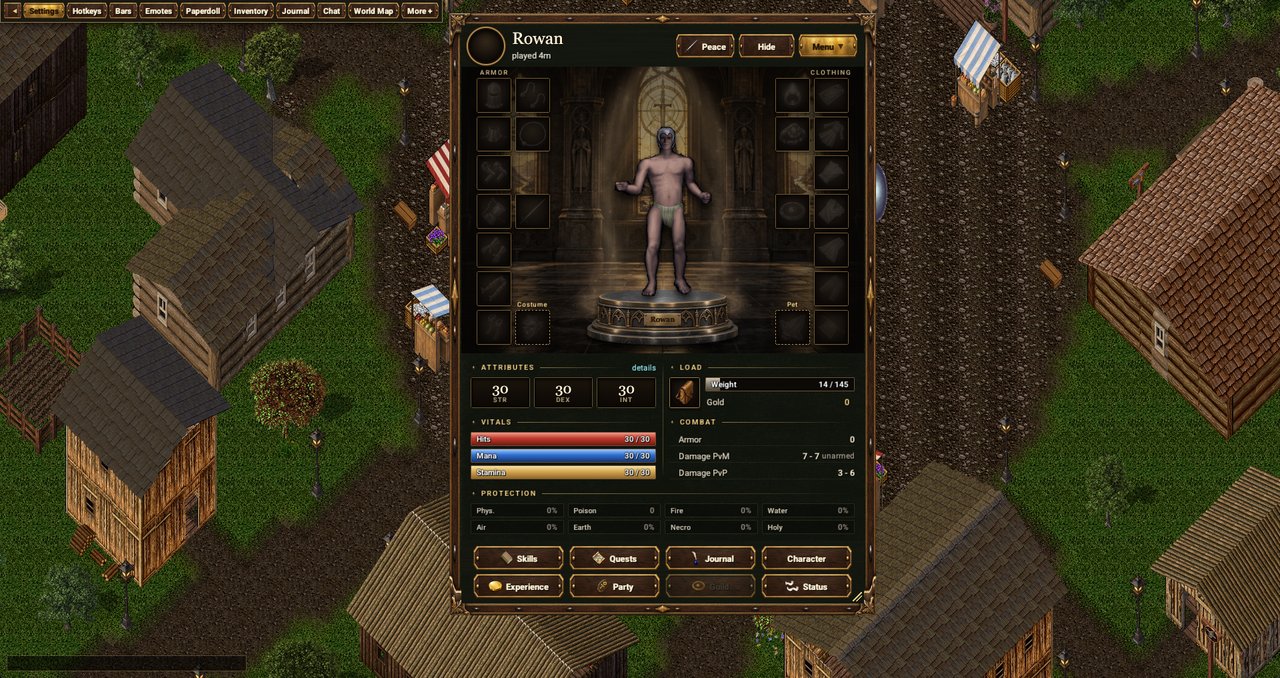 1
Open the paperdoll
The “Paperdoll” button on the top bar opens the character window with equipment and stats.
-
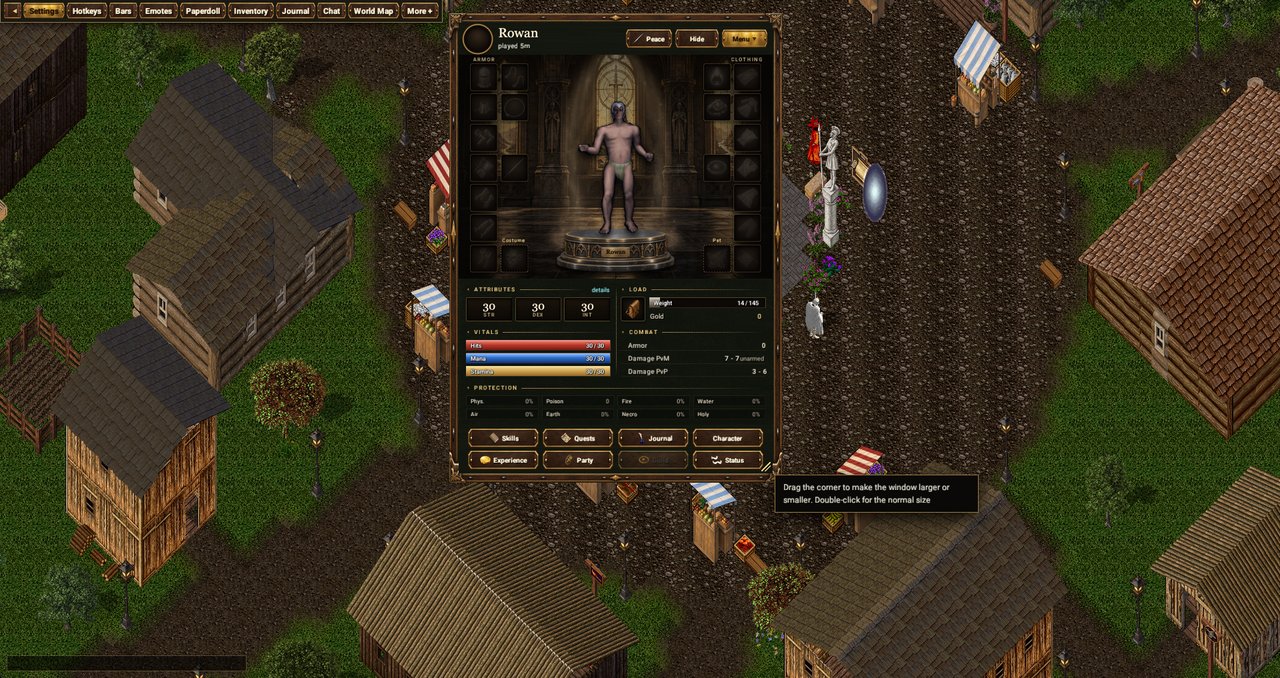 2
Resize the paperdoll
Drag the bottom-right corner of the window to make it bigger or smaller. Double-click the corner to restore the default size.
-
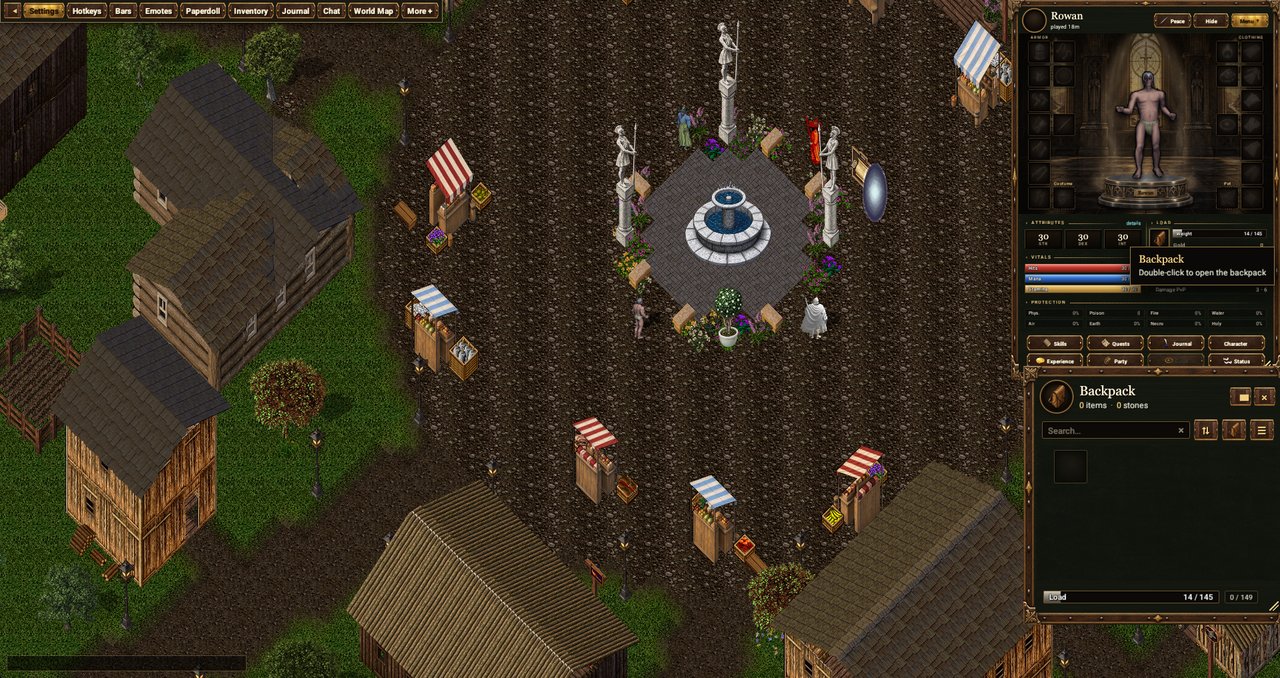 3
Open the backpack
Double-click the backpack on the paperdoll to open your inventory.
-
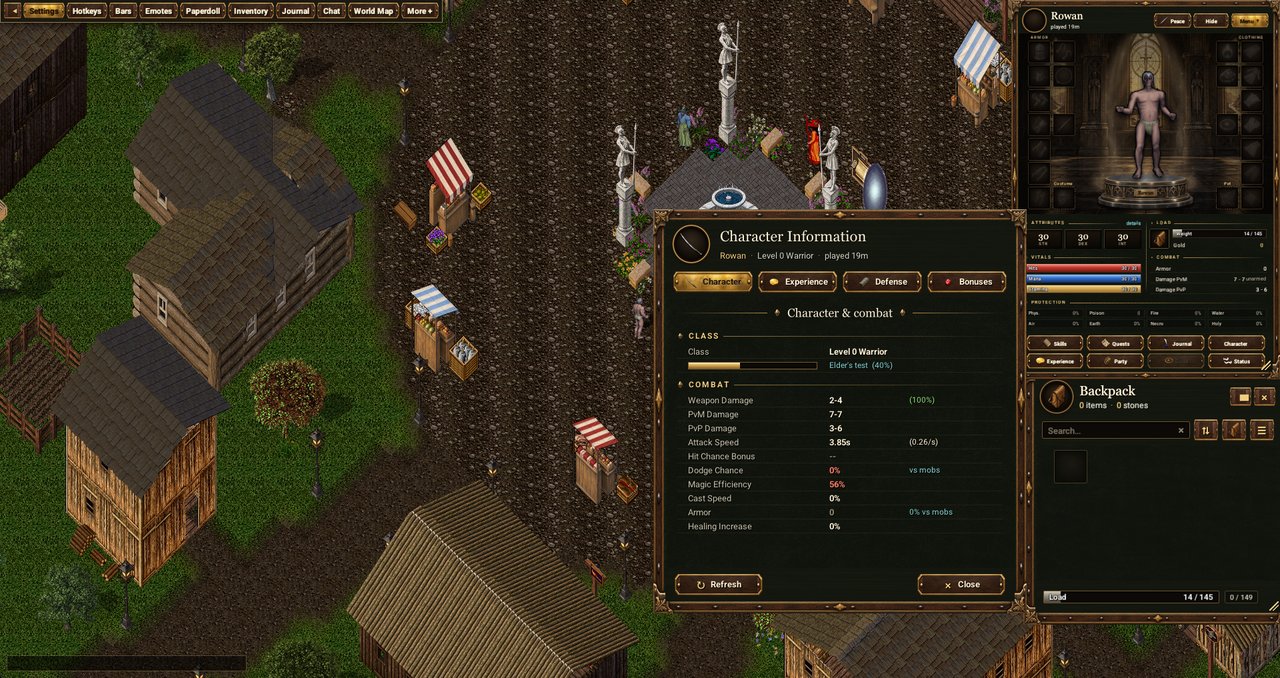 4
Character info
The “Character” button on the paperdoll opens the window with your class, damage, defence and bonuses.
-
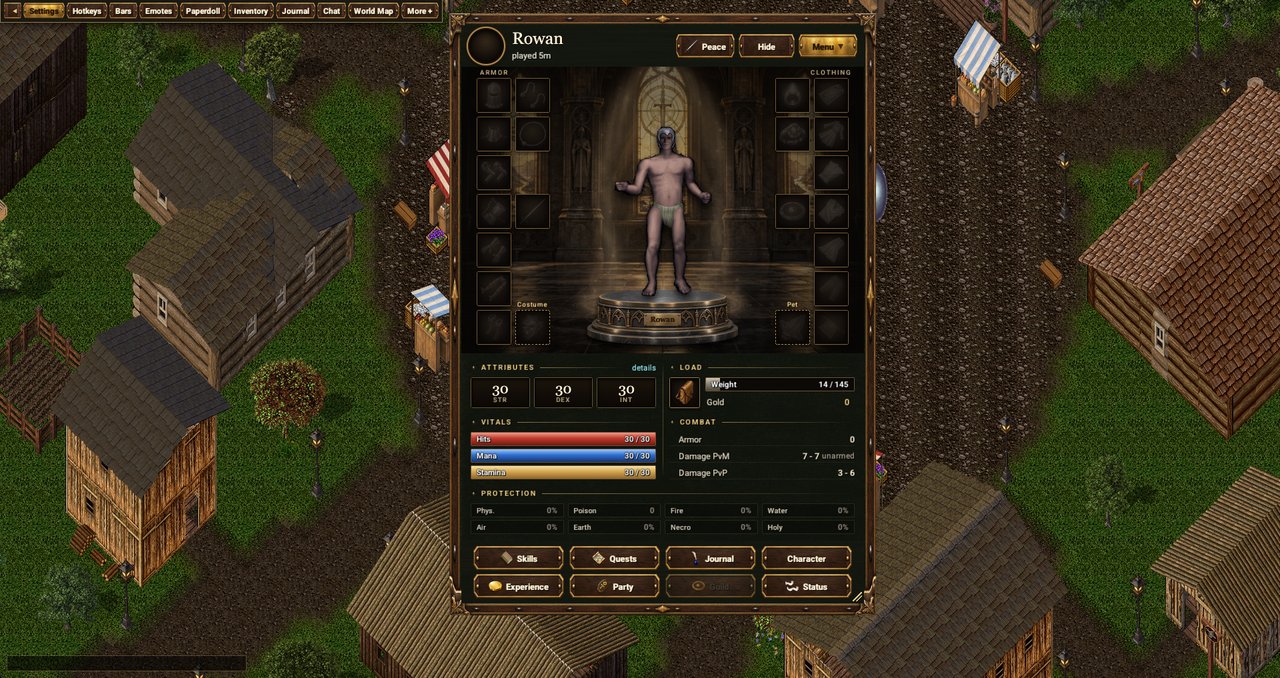 5
Open the quest menu
The “Quests” button at the bottom of the paperdoll opens the quest journal.
-
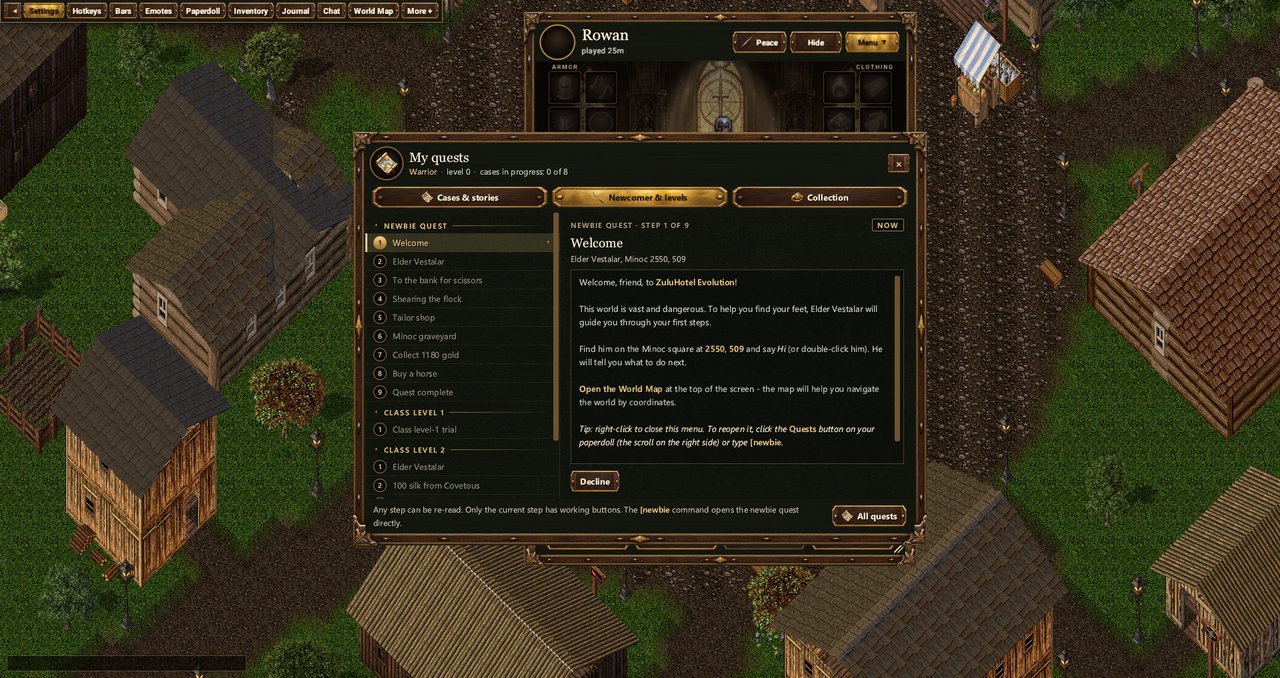 6
Quest “Newcomer & levels”
Follow the newbie quest to learn the game: open “My quests” → the “Newcomer & levels” tab. The [newbie command opens it right away.
-
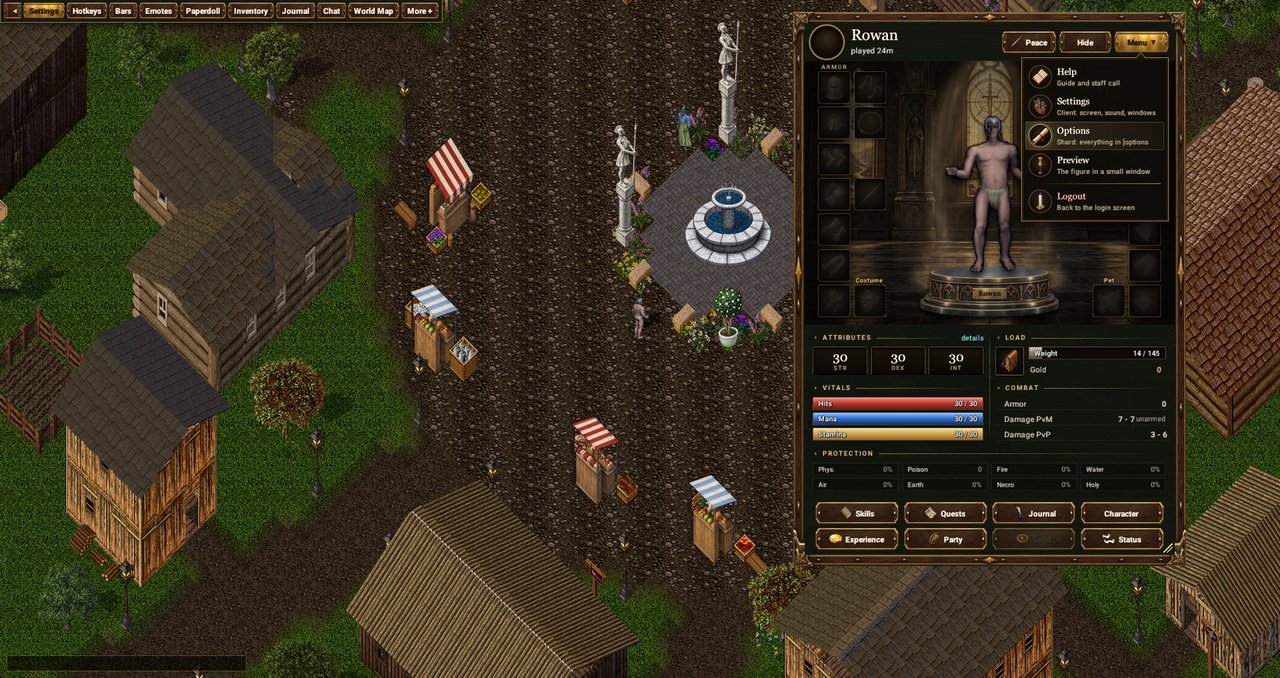 7
Character options
Menu → Options: shard-side settings for your character (same as the [options command).
-
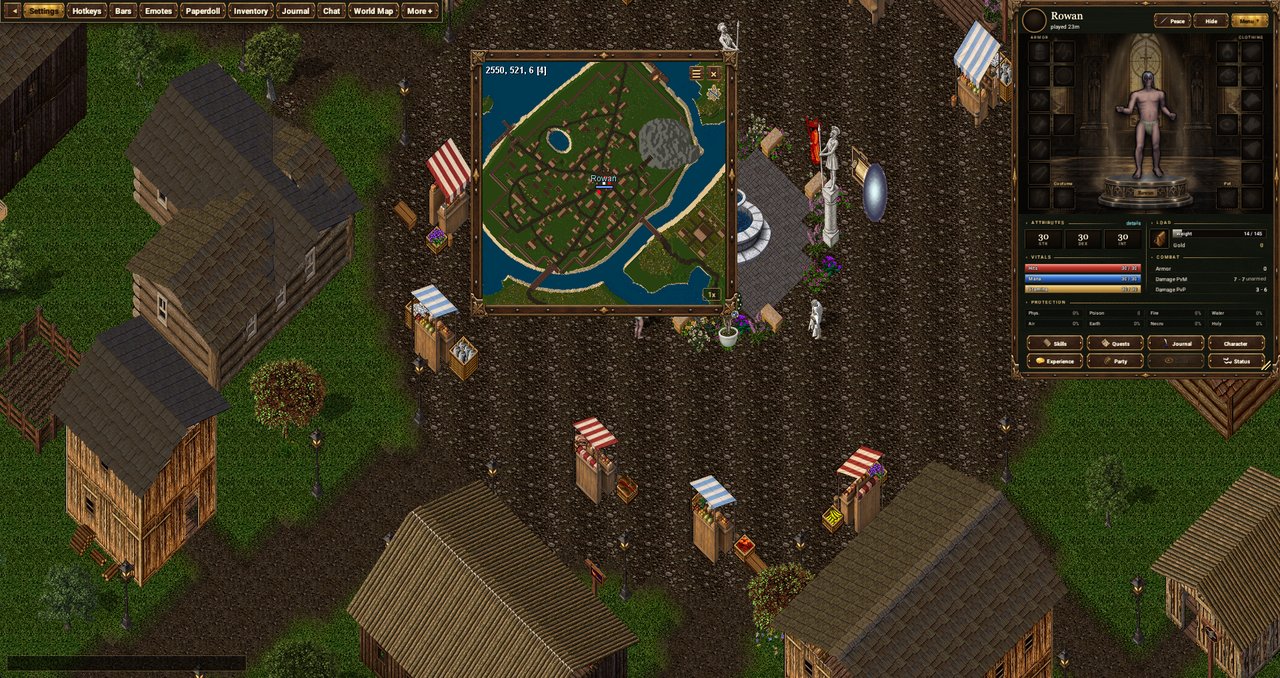 8
World map
The “World Map” button on the top bar: coordinates, markers and your position - handy for quests.
-
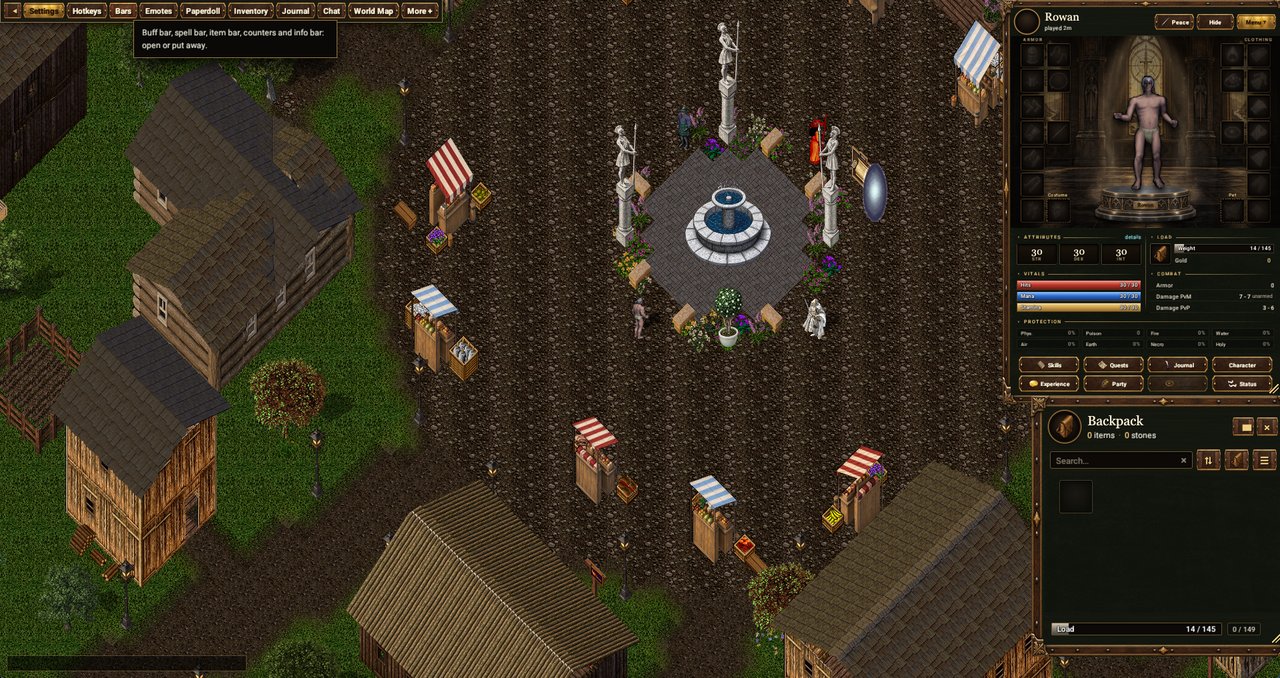 9
Bars
The “Bars” button on the top bar lists the panels: “Buff bar”, “Spell bar”, “Item bar”, “Counter bar” and “Info bar”. Click an entry to open its panel, click again to put it away; open ones are ticked.
-
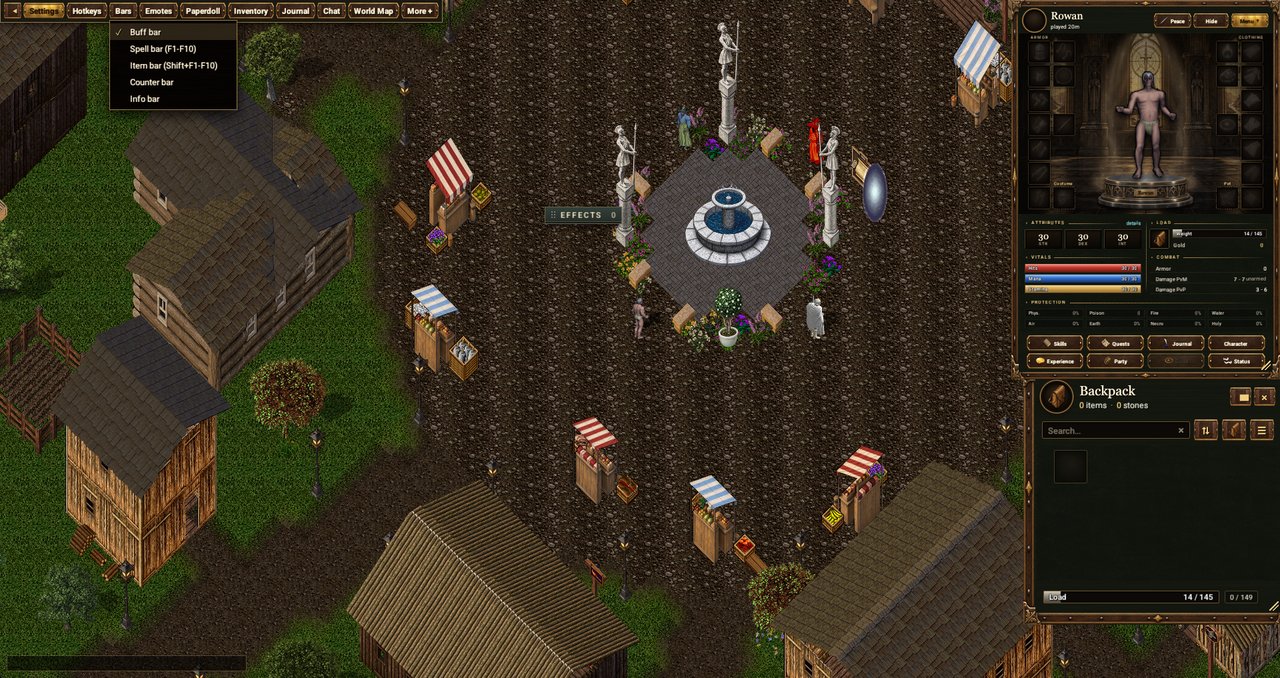 10
Buff bar
“Bars” → “Buff bar” on the top bar shows the effects bar: what is applied to you and how long is left, including cooldowns.
-
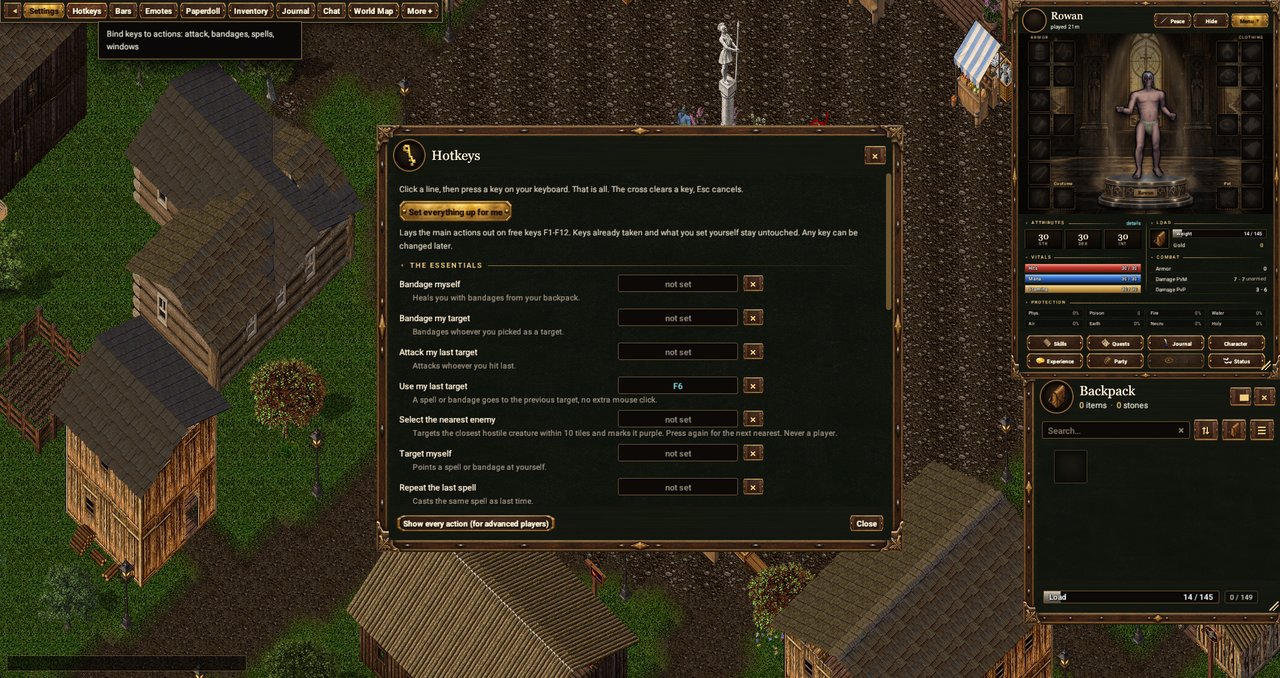 11
Hotkeys
The “Hotkeys” button: bind game actions to keys - attack, bandages, casting, windows. “Set everything up for me” maps the essentials to F1-F12.
-
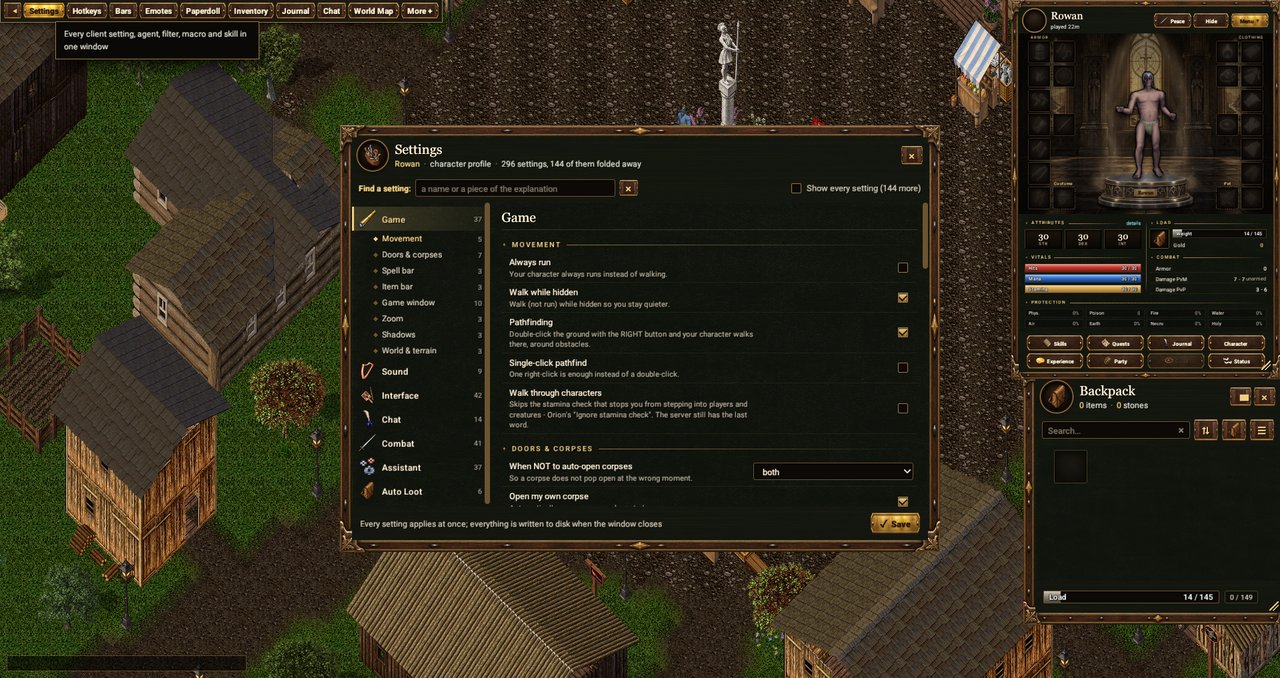 12
Game and character settings
The “Settings” button: all client settings, agents, filters, macros and skills in one window. Every setting applies immediately.
-
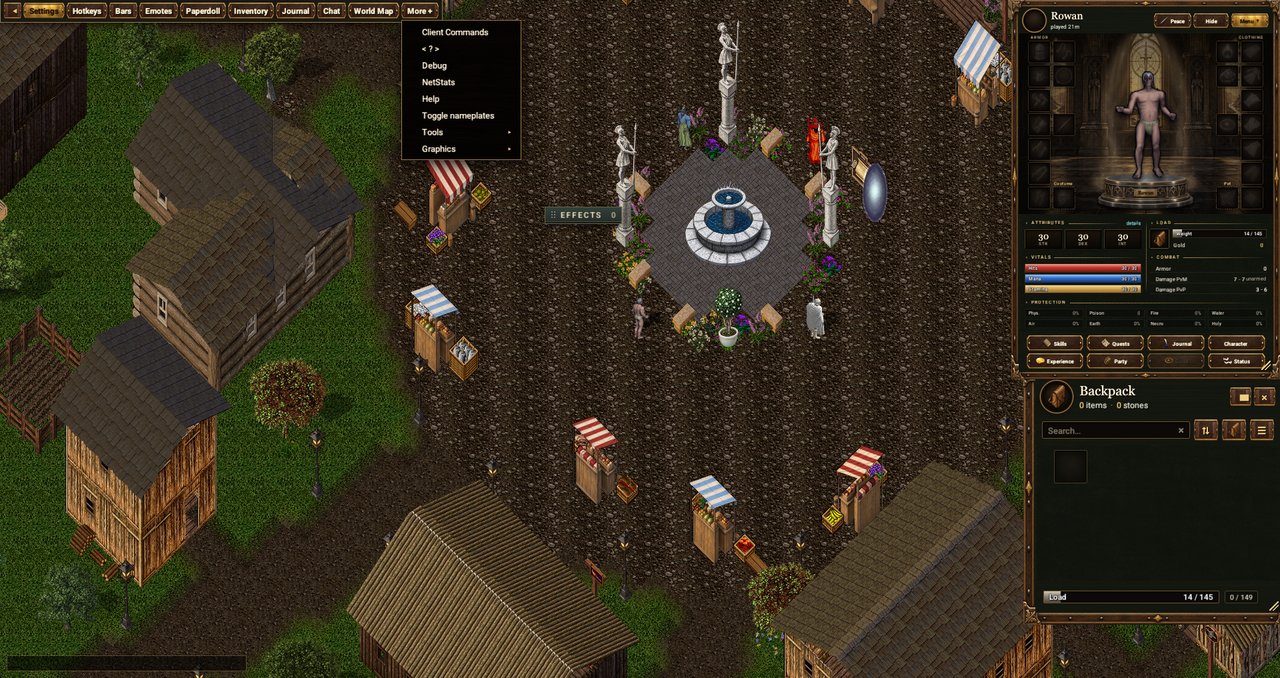 13
Extra settings
The “More +” button: client commands, network, help, name plates, tools and graphics.